10 JUL 2026 - Back up to full speed! Let's be honest: for the last few months, TorrentFunk was painfully slow. Pages crawled, searches dragged, and just loading the site tested everyone's patience. We hunted the problem down to our network and rebuilt it from the ground up — smarter caching, a much bigger and faster connection, and a lot of fine-tuning under the hood. The difference is night and day: the site now loads in a fraction of a second. No more waiting around. Thanks for sticking with us through the slow spell. Now go discover your funk!
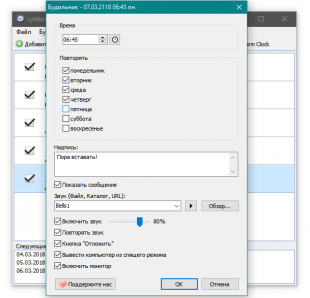
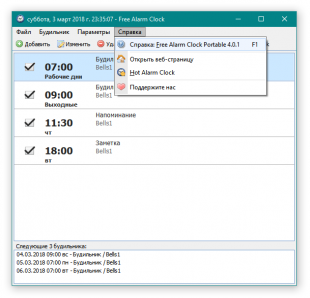
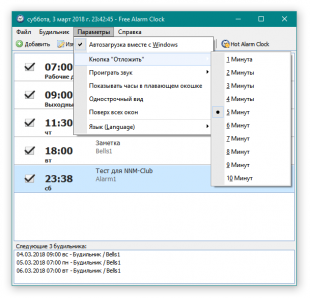
Free Alarm Clock — бесплатный, многофункциональный и удобный будильник. Позволяет установить сколько угодно одиночных или периодических сигналов. Можно написать свой текст приветствия или маркер для другого действия требующего напоминания; добавить музыкальный трек или любой другой звуковой файл на сигнал; заставить пробуждаться ПК и делать другие типичные настройки будильника. Локализация множества языков, включая русский и соответственно поддержка 24-часового формата.
Особенности:Возможность воспроизведения аудиоформатов: MP3/FLAC/WAV/WMA в качестве сигнала будильника.
Пробуждение системы из Спящего Режима.
Автоматическое увеличение громкости, если звук на момент сигнала будет отключен. Максимальная комфортная громкость устанавливается вручную.Изменения в версии:Version 4.0.1 (January 19, 2016)
-------------------------------
* Improved some translations of the user interface.
* Fixed: Issue with turning on volume after wakeup in Windows 10.
* Fixed: Issue with 12-hour time format when period shows one letter (a/p).
Version 4.0 (December 14, 2015)
-------------------------------
* Free Alarm Clock now has full Unicode support.
* New "Skip next alarm" option has been added to alarm clocks.
* New command line parameter /ADD ALARM has been added. This parameter opens the new alarm window.
* New: 6 alarm sounds have been added.
* New: Translations of the UI into Greek and Indonesian languages.
* Improved Windows 10 Compatibility.
* Improved: The reminder window shows the snooze time on the snooze button.
* Improved: Now Free Alarm Clock has a modern date picker.
* Improved: The caption of the alarm window shows the alarm time.
* Fixed: Sometimes the alarm event did not bring the reminder window to the foreground in Windows 8 and above.
* Fixed: Now you can't close the floating clock using the Alt+F4 hotkey.
* Fixed: If you used the ampersand character (&) in the label for an alarm event, "_" was displayed instead of "&" when the reminder window popped up for that event.