Тип раздаваемого файла: Программа
Тип установщика: Apk
Разработчик: Netroken
Релиз от: Balatan
Официальный сайт: ссылка
Marketplace: https://play.google.com/store/apps/details?id=netroken.android.persistfree&hl=en_US&gl=US
Релиз состоялся: 05.10.2021
Поддерживаемая ОС: Android 5.0+
Язык интерфейса: Русский, Английский, Шведский и т.д.
Тип издания: Premium
Права Root: Не требуются
Описание:
Persist Volume Control - продвинутый регулятор громкости для Android-смартфонов и планшетов, который предлагает ряд функциональных инструментов для контроля над звуком мобильного девайса. Удобство приложения заключается в наборе профилей, переключение между которыми осуществляется как в ручном режиме, так и автоматически, в зависимости от даты, времени или текущего местоположения пользователя.
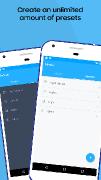
Можно создавать сколько угодно профилей громкости, удалять их, копировать, редактировать, причем каждый профиль может содержать уникальный набор настроек. В каждом профиле могут быть выставлены отдельные значения громкости для звонка, сообщения, будильника и пр. Также можно задавать дополнительные параметры, как например расписание по календарю, по координатам GPS, по расположению сети Wi-Fi, по времени, в зависимости от дня недели и т.д.
В настройках приложения можно включать оповещения перестановок, настраивать всплывающие сообщения, задавать громкость оповещений и многое другое.
Особенности:Volume Control is an amazing app that lets you take control of your device’s volume – instead of being controlled by it!
HOW IT WORKS
Volume Control is extremely easy to use. Simply tweak existing or create new pre-defined volume profiles, and toggle between them with just a single touch. Individual profiles are comprised of: Alarm, Media, Ringer, Notification, Voice (in-call), Bluetooth and overall system volume.
AUTOMATED CONVENIENCE
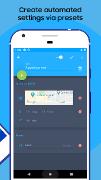
Volume Control also detects when you insert headphones or activate Bluetooth, and automatically toggles to your preferred volume profile. You can even create automatic scheduled presets based on time of day, physical location, or a calendar event.
For example, if you plan to head into a business meeting, simply tell the app to turn off your ringer at precisely that time. Of if you're heading for a workout, tell the app to pump up the volume when you arrive at the fitness club. The list of possibilities is virtually limitless!
ADDITIONAL SPECIAL FEATURES
Here are some of the other special features you can look forward to:
Custom volume settings and ringtones for VIP contacts
The option of separating or linking ringer volume and notification volume
The ability to change ringtones for alarm, ringer and notifications
Notification shortcuts for quick and easy access to controls and presets
Integration with Tasker and Locale via the built-in preset plugin
INTERACTIVE WIDGETS
You can also access a fantastic suite of fully interactive Home Screen widgets, including:
Preset (apply a set of audio settings);
Preset List (apply any preset)
Volume Locker (change/lock volume levels)
Vibrate (toggle vibrate settings for ringer and notification)
Ringer (toggle the ringer mode between silent, vibrate, and normal)
Dashboard (various interactive volume controls)
Please note: to access the widgets, the app should not be installed to your SD card. Some Android versions may require a reboot for widgets to appear on your widget drawer.
AVOID ACCIDENTAL CHANGES
You’ll also love the cool “Pocket Locker” feature, which automatically prevents accidental volume changes by locking volume settings when your device screen turns off.
MULTIPLE LANGUAGE SUPPORT
Arabic, Czech, Danish, German, Spanish, Finnish, French, Hindi, Hungarian, Italian, Hebrew, Japanese, Korean, Malaysian, Norwegian, Dutch, Polish, Portuguese, Russian, Slovak, Swedish, Thai, Turkish, Ukrainian, Vietnamese, Simplified Chinese, and Traditional Chinese.Изменения в версиях:v5.0.24
- Bug fixesВ раздаче:Актуальная на данный момент, Premium версия приложения.
Mod Info:
• Premium / Paid features unlocked;
• Disabled / Removed unwanted Permissions + Receivers + Providers + Services;
• Optimized and zipaligned graphics and cleaned resources for fast load;
• Ads Permissions / Services / Providers removed from Android.manifest;
• Ads links removed and invokes methods nullified;
• Ads layouts visibility disabled;
• Google Play Store install package check disabled;
• Debug code removed;
• Remove default .source tags name of the corresponding java files;
• Analytics / Crashlytics / Firebase disabled;
• Facebook ads bundled SDK removed completely;
• No active trackers or advertisements;
• Languages: Full Multi Languages;
• CPUs: universal architecture;
• Screen DPIs: 120dpi, 160dpi, 240dpi, 320dpi, 480dpi, 640dpi;
• Original package signature changed;
• Release by Balatan.Описание установки:1) Если качаете с ПК.
Забросить APK файл на ваше устройство посредством подключения к ПК через кабель. После этого стоит отключить Play защиту и проверку приложений из неизвестных источников, после чего зайти в любой проводник (я рекомендую Cx Проводник или Root Explorer), в нем найти нужный вам APK файл, и установить его.
2) Если скачиваете через Torrent-клиент на Android устройстве.
После окончания загрузки файла зайти в любой проводник (опять-таки, я рекомендую Cx Проводник или Root Explorer), в нем найти нужный вам APK файл, и установить его.